Snipsmith
· updated
As a mathematician, I often take notes in Obsidian and draft documents in VSCode/Cursor, which means writing LaTeX in two editors that don’t have much to do with each other. There are great snippet managers for both: Obsidian Latex Suite and HyperSnips, but Latex Suite ships with a snippet library and HyperSnips ships with none, so you have to find and use someone else’s. I found myself developing two separate muscle memories to write the exact same LaTeX, which wasn’t ideal.
So, I built snipsmith. Snipsmith is a custom snippet manager for Obsidian and VSCode/Cursor that allows you to manage your snippets in one place. Setup is very simple: all snippets live in a single YAML file, and snipsmith build compiles the library into the formats Obsidian and VSCode/Cursor each expect, writing both at once. Define a trigger once and it works in both. (And, as of August 2026, in a third editor! See the updates at the end.)
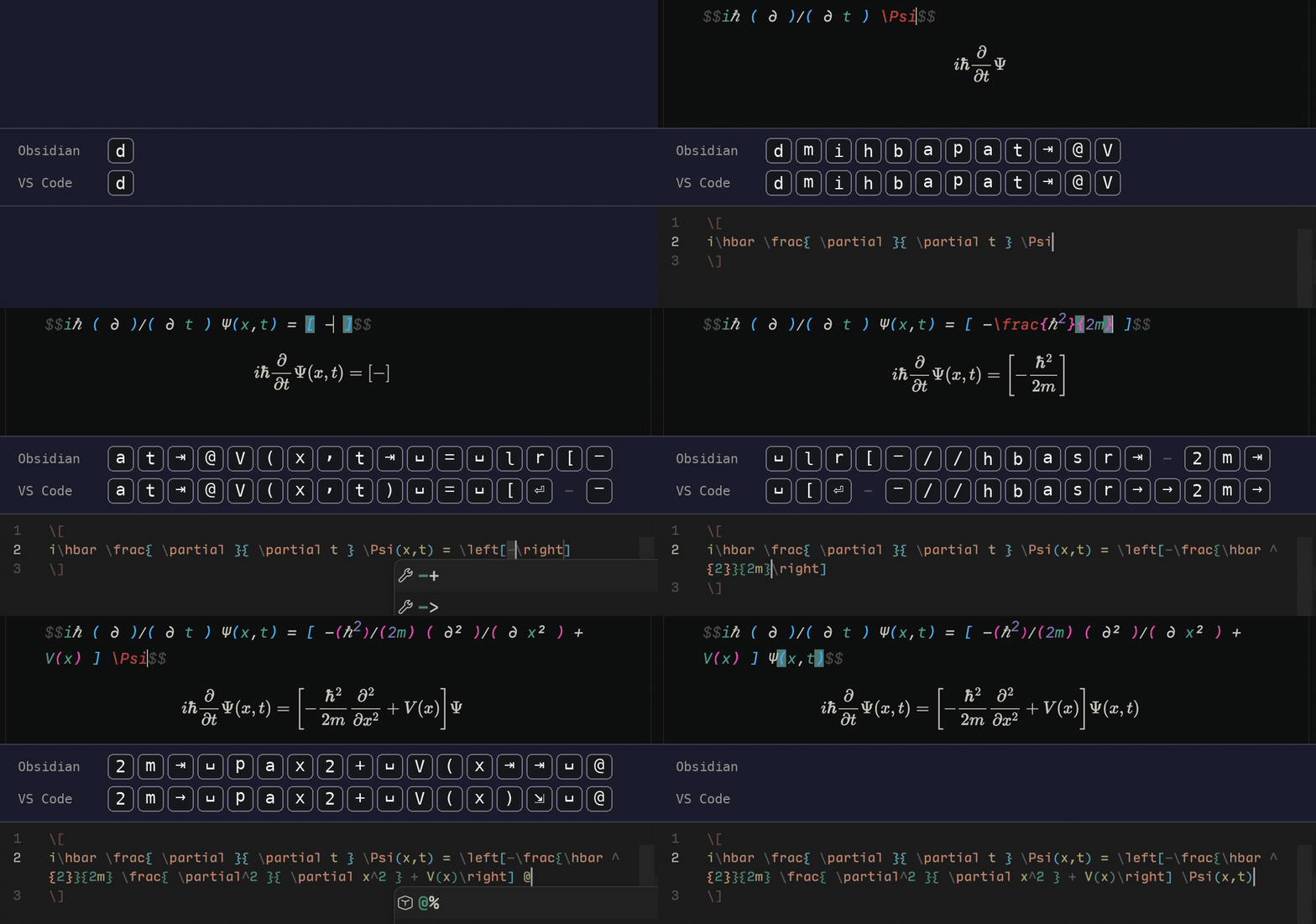
Snipsmith ships with a comprehensive snippet library, heavily inspired by Latex Suite’s (which in turn draws on Gilles Castel’s), with many of my own snippets added. It currently contains 272 definitions, which compile down to 227 HyperSnips entries; the rest are Obsidian-only. (All of the snippets shipped with my dotfiles are managed through snipsmith.)
how it works
A snippet is a trigger, a replacement, and some options:
- trigger: pat
  replacement: \frac{ \partial }{ \partial t } $1
  description: Partial derivative wrt t
  options:
      math: true
Options shared by the whole library (I have auto: true on for almost all snippets) live in a defaults block at the top of the file.
snipsmith build compiles every snippet into the format each editor expects: Latex Suite reads a JavaScript array of objects with an options string, and HyperSnips reads its own format with a context guard and single-letter flags.
regex
The two formats disagree on regex. Latex Suite writes capture groups as [[0]], while HyperSnips uses inline JavaScript blocks (`rv = m[1]`) with groups numbered from one. The build script translates between them, so I only write the Obsidian form:
- trigger: ([a-zA-Z])und
  replacement: '\underline{[[0]]}'
  regex: true
  options:
      math: true
and HyperSnips gets \underline{`rv = m[1]`} automatically.
shared variables
I keep one list of 37 Greek letters and another of 77 symbol names, and reference them from inside triggers:
- trigger: '([^\\])({{GREEK}}|{{SYMBOL}})'
  replacement: '[[0]]\[[1]]'
This one rule means I don’t need to type a backslash for any named symbol. The compiled output differs by editor here too: Latex Suite has a variables feature of its own, so snipsmith writes a standalone variables file and keeps the reference as ${GREEK}, while HyperSnips gets the full list of symbols expanded inline.
validation
snipsmith check validates the whole file, and snipsmith build refuses to write anything if validation fails. It catches mistakes like unknown keys, invalid regex, and references to nonexistent capture groups, as well as problems specific to the output formats (e.g. backticks in regex triggers in HyperSnips, which would corrupt the file).
snipsmith build --diff shows exactly what an edit to the YAML will do to the output before anything is written. In the repo itself, the generated files are committed to build/, and CI fails if a fresh build and the committed files don’t match.
I hope you find the system useful! I truly believe that snipsmith provides a near-optimal experience for writing LaTeX fast, and if you too use both Obsidian and VSCode/Cursor, I think you’ll find it a big improvement. To try it, run brew install deancureton/tap/snipsmith and then snipsmith init (see the September update below).
update: neovim (august 2026)
Snipsmith now compiles to support LuaSnip for Neovim! The same snippets.yaml produces a tex.lua file (plus a markdown.lua if you want snippets in markdown too), and the demo gif above has a third Neovim pane to prove it.
Neovim turned out to be the most robust target of the three. LuaSnip’s ecma engine uses the same regex structure as Latex Suite, so regex triggers port verbatim. Two previously Obsidian-only features work there too: visual snippets (select text, press Tab, type the trigger to wrap the selection) and separate inline/display math contexts. Math context detection uses vimtex when installed, and treesitter when it isn’t. The library compiles to 240 LuaSnip entries.
update: cli (september 2026)
Snipsmith used to be a Python script driven by a Makefile, which meant cloning the repo and pointing a .env file at each editor’s snippet directory. It’s now a CLI, installable through Homebrew (brew install deancureton/tap/snipsmith) or uv tool install.
snipsmith init detects your Obsidian vaults, VSCode-family editors (VSCode, Cursor, VSCodium, Windsurf, Antigravity), and Neovim, offers to install the snippet plugin for each, and writes a config pointing every editor at its generated files. The snippets.yaml file is located at ~/.config/snipsmith/snippets.yaml, initialized with my default library if you don’t have one yet.